Employee Onboarding Software: How to Guide New Hires from Their First Offer to Final Confirmation
Introduction
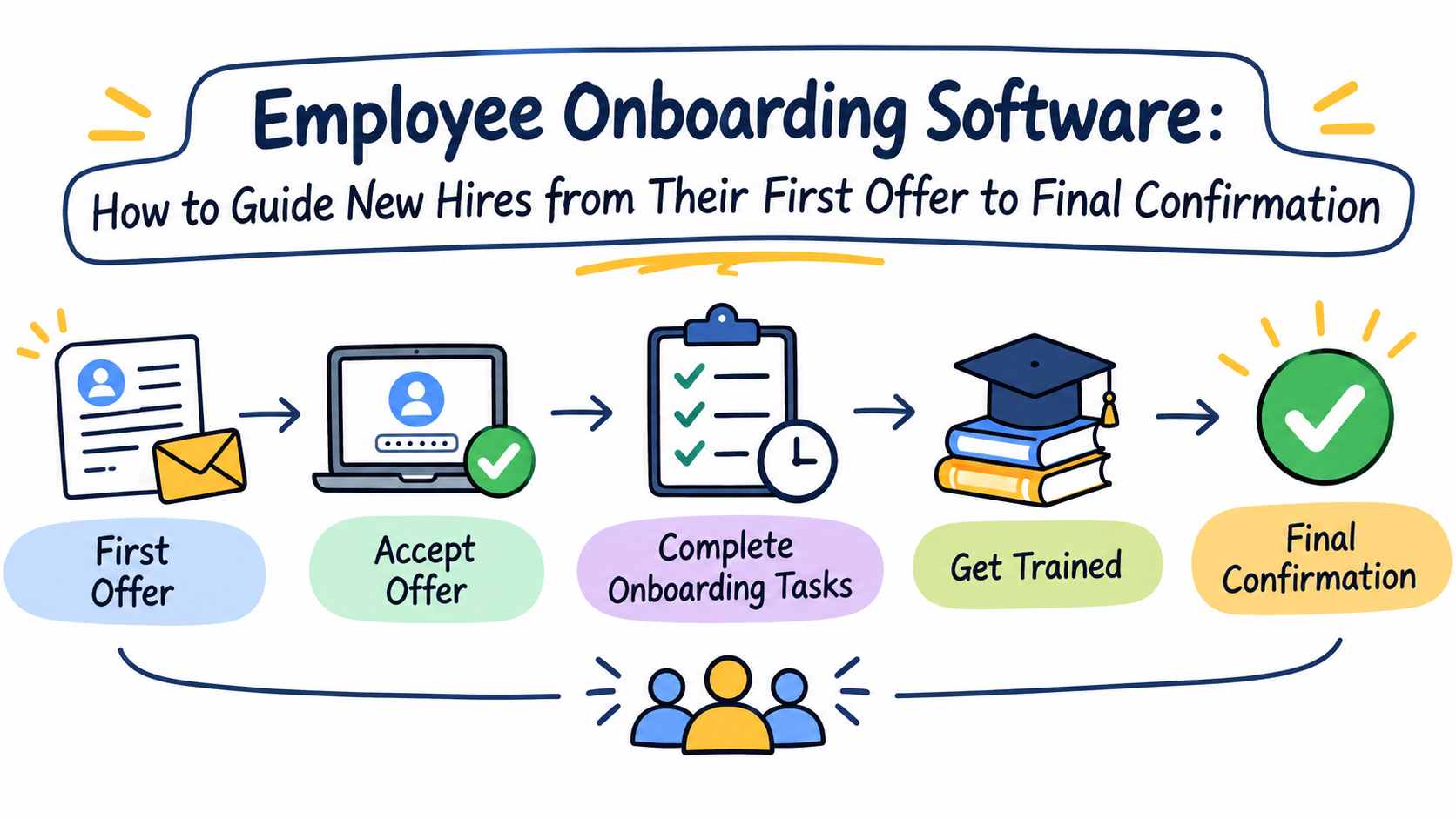
Hiring the right person is only the beginning of a successful working relationship. The next step is helping that person settle into the company. HR teams must manage offers, collect documents, prepare equipment, explain job duties, and plan regular reviews. Managers also need to guide new employees and track their progress. When teams handle these steps through scattered emails and files, important work can fall behind. Employee Onboarding Software brings these activities into one organized process. It helps companies guide each new hire from offer acceptance through preboarding, training, probation, and confirmation. This guide explores each stage and shares practical ways to improve the whole journey.
Why a Good Onboarding Process Matters
New employees need more than a welcome message on their first day. They need clear instructions, useful training, and regular support. HR teams must also make sure that managers and other departments complete their tasks on time. A shared process helps everyone understand their role and follow the same plan. It also gives employees a better view of what they must do next.
A useful onboarding process should cover:
- Offer details and acceptance.
- Joining instructions and document collection.
- Equipment and system access.
- First-day activities and team introductions.
- Role-based learning and training.
- Regular employee and manager check-ins.
- Probation goals and review dates.
- Feedback and confirmation decisions.
- Required confirmation documents.
Companies should adjust these steps to match each role and their internal policies. A simple process can support both small teams and growing organizations.
Connect Every Stage of the Employee Journey
A clear timeline helps HR teams plan work before a new employee joins. It also gives managers a better idea of when they must take action. Each stage should have an owner, a deadline, and a clear result. Teams can use this structure to manage different roles without losing important details.
Stage
Main activities
Responsible team
Expected result
Offer acceptance
Share the offer, handle changes, record acceptance
HR or recruitment
Confirmed offer details
Preboarding
Request documents, share instructions, plan joining tasks
HR and new hire
Joining preparation
First day
Welcome the employee, explain the workplace, arrange access
HR and manager
A clear start
First 30 days
Provide training, explain duties, set early goals
Manager and team
Better role understanding
Days 31–60
Review tasks, discuss challenges, share feedback
Manager and employee
Progress review
Days 61–90
Check goals, discuss performance, review next steps
Manager and HR
Documented decision
The timeline should reflect the actual job and company process. Some roles need more training or longer review periods. HR teams should follow the agreed employment terms and company policies.
Organize Offers Before the Employee Joins
The offer stage sets the tone for the employee journey. HR teams must share correct details and answer candidate questions. They may also need to revise terms before the candidate accepts. Offer Letter Management Software helps organize offer details, revisions, and acceptance records. This gives HR teams a clearer record of the early hiring process.
HR teams should follow these steps:
- Prepare the offer with the correct job details.
- Check salary, joining date, and other agreed terms.
- Share the offer with the selected candidate.
- Review questions and requested changes.
- Record each approved revision.
- Save the candidate’s acceptance.
- Share the next joining instructions.
HR should check every document before sending it. The team should also follow local employment rules and company approval steps. Clear records can help resolve questions about the agreed offer.
Get New Employees Ready Through Preboarding
Preboarding begins after the candidate accepts the offer. It gives the employee time to prepare before joining. HR can share joining details, collect required documents, and explain what the new hire should expect. Employee Preboarding Software helps teams organize these activities and track unfinished tasks.
A practical preboarding plan can include:
- A welcome message from HR.
- Joining date and reporting details.
- A list of required documents.
- Personal information forms.
- Office or remote work instructions.
- Laptop and equipment requests.
- System access preparation.
- First-day plans and contact details.
HR should send information at the right time. Too many requests can overwhelm a new hire. Clear instructions and reasonable deadlines make each step easier to complete. Teams should also collect only the personal details they need.
Reduce Manual Follow-Ups with Workflow Automation
Onboarding often involves several departments. HR manages documents, IT prepares access, managers plan training, and employees complete assigned tasks. Without clear ownership, people may miss deadlines or forget important work. Onboarding Workflow Automation helps teams assign tasks, set due dates, send reminders, and track updates. It creates a shared view of the process.
Teams can use workflow automation to:
- Assign each task to a responsible person.
- Set deadlines for important activities.
- Send reminders before due dates.
- Track completed and pending work.
- Share updates with relevant stakeholders.
- Reuse workflows for similar roles.
- Review progress through dashboards.
Automation can manage routine steps, but it cannot replace personal guidance. Managers still need to welcome employees and answer their questions. HR teams should also review workflows when company needs change.
Create Checklists That Match Each Role
A New Hire Onboarding Checklist gives employees and teams a clear task list. It helps people see what they must complete and when they must complete it. One checklist may not suit every department. For example, a software engineer may need different access and training from a sales executive. HR teams should create checklists that reflect each role.
Task
Suggested timing
Task owner
Purpose
Share offer documents
Before joining
HR
Confirm agreed terms
Collect joining paperwork
Before or on joining day
HR and employee
Gather required details
Arrange equipment
Before joining
IT
Prepare the work setup
Create system access
Before or on joining day
IT
Help the employee start work
Plan orientation
First day
HR
Explain company processes
Assign role training
First week
Manager
Build job knowledge
Schedule check-ins
During onboarding
Manager
Discuss progress
Complete probation reviews
Planned review dates
Manager and HR
Review performance
Prepare confirmation documents
After the decision
HR
Record the next step
Each task needs an owner and a deadline. Teams should update the checklist as work progresses. They should also remove outdated steps when they change their process.
Give New Hires a Simple Online Workspace
New employees often need to read instructions, submit details, upload documents, and complete tasks. Email conversations can make these activities difficult to track. An Employee Onboarding Portal gives employees one place to manage their onboarding work. They can review offers, submit personal information, upload documents, and complete assigned tasks through their phones.
An employee portal can help new hires:
- Review their offer details.
- Submit required personal information.
- Upload joining documents.
- View assigned activities.
- Check task deadlines.
- Read joining instructions.
- Track their pending work.
HR teams should keep portal instructions simple. They should also give access only to authorized people. A clear portal experience can help employees understand their responsibilities without searching through multiple messages.
Plan the First 90 Days with Clear Milestones
The first few months give employees time to learn their roles and understand team expectations. A 30 60 90 Day Onboarding Plan helps managers set goals and review progress in stages. Each stage should include useful tasks, learning goals, and planned discussions. Managers can then give feedback based on the employee’s actual work.
First 30 days: Understand the workplace
- Introduce the employee to the team.
- Explain the main job duties.
- Share tools and work processes.
- Assign basic learning tasks.
- Set early goals.
- Schedule regular check-ins.
Days 31–60: Develop role skills
- Review progress against early goals.
- Assign suitable work tasks.
- Discuss problems and learning needs.
- Share feedback with examples.
- Adjust goals when needed.
Days 61–90: Review progress and plan ahead
- Check progress against agreed goals.
- Discuss strengths and improvement areas.
- Review any remaining support needs.
- Gather manager feedback.
- Prepare the probation decision.
Managers should set goals that match each job. They should not use the same targets for every employee. A useful plan should guide real work and support steady learning.
Make Probation Reviews More Consistent
Probation gives the company and employee time to review the working relationship. Managers can check progress, discuss challenges, and identify support needs. HR teams must also track review dates and required records. Employee Probation Management Software helps organize these activities. It can support feedback records, deadlines, review tasks, and documented decisions.
A clear probation process should include:
- The agreed probation period.
- Clear role and performance goals.
- Planned manager check-ins.
- Notes about progress and concerns.
- Employee feedback.
- Review reminders.
- A documented decision.
Managers should discuss concerns before the final review. They should explain what needs improvement and agree on practical next steps. HR should follow company policy and the employee’s agreement when managing probation.
Turn Feedback into Useful Action
Feedback should help employees understand their work and improve their skills. Managers should not wait until the end of probation to discuss performance. Regular conversations give employees time to ask questions and address challenges. They also help managers understand whether the employee needs more training or support.
A useful check-in can cover:
- What work has the employee completed?
- Which tasks need more attention?
- What challenges have come up?
- Does the employee need extra guidance?
- Which goals should come next?
Managers should record important points and agree on clear actions. They should also listen to the employee’s views. Honest discussions can help both sides understand expectations.
Handle Employee Confirmation with Care
Employee confirmation marks an important stage in the employment journey. HR teams should not treat it as a simple document task. The company must review progress and follow its decision process first. Managers should share feedback based on the goals and expectations set earlier. HR can then record the outcome and prepare the required document.
The confirmation process can include:
- Check the probation end date.
- Review the employee’s agreed goals.
- Collect manager feedback.
- Discuss any open concerns.
- Record the company’s decision.
- Inform the employee about the outcome.
- Prepare the required confirmation document.
An Employee Confirmation Letter Generator workflow can help HR create letters using company templates after a successful probation decision. HR should check names, dates, terms, and other details before sharing the letter.
Ten Onboarding Mistakes That Teams Should Avoid
Small gaps can create confusion during onboarding. HR teams should review their process and fix common problems before they affect new hires. These practical steps can help teams manage each stage more clearly.
1. Sending incomplete joining details
New hires may not know where to report or what to bring. Share a simple joining guide with dates, contacts, and required documents.
2. Delaying preboarding work
Late preparation can affect equipment, access, and joining tasks. Start the process soon after offer acceptance.
3. Using one checklist for every role
Different jobs need different training and tools. Create role-based checklists with suitable tasks.
4. Sharing too much information at once
Long messages can confuse new employees. Send important details in clear and timely steps.
5. Leaving managers out of the process
Managers play a key role in training and feedback. Give them clear tasks and deadlines.
6. Missing regular check-ins
Employees may struggle without guidance. Schedule discussions throughout the first few months.
7. Waiting too long to review probation
Late reviews leave little time to address concerns. Set review dates early and send reminders.
8. Keeping feedback across scattered channels
Important details can disappear in email threads and chats. Record key points in the right place.
9. Collecting unnecessary personal information
Extra data can create privacy risks. Request only the details needed for the process.
10. Preparing confirmation letters without a proper review
A letter should follow a clear decision. Review goals, feedback, and company policy before preparing the document.
Simple Practices for Better Onboarding
A strong onboarding process needs clear steps and regular attention. HR teams should make each activity easy to understand. They should also review the process when company needs or job duties change.
Useful practices include:
- Create separate workflows for different role types.
- Give every task a clear owner.
- Set realistic deadlines.
- Use reminders for important activities.
- Share instructions in simple language.
- Involve managers from the start.
- Schedule regular employee check-ins.
- Use templates for repeatable tasks.
- Review dashboards for pending work.
- Limit access to employee information.
- Update checklists when processes change.
- Record important feedback and decisions.
HR teams can also ask new hires about their experience. Their comments may reveal unclear instructions or missing steps. Teams can use this feedback to improve future onboarding plans.
How DayOneFlow Helps Manage Onboarding
DayOneFlow helps organizations organize the employee journey from offer management to confirmation. It brings important onboarding activities into a connected workflow. HR teams can manage offers, prepare new hires, assign tasks, and track probation reviews. They can also use templates, checklists, dashboards, and reporting to support daily work.
The platform supports several key activities:
- Offer management: Manage offer details, revisions, and candidate acceptance records.
- Preboarding: Organize joining preparation, documents, and responsibilities.
- Workflow automation: Assign tasks, set deadlines, send reminders, and share updates.
- Custom checklists: Create onboarding steps for different roles.
- Employee portal: Let new hires review offers, submit details, upload documents, and complete tasks through phones.
- Probation tracking: Manage review dates, feedback, deadlines, and documented decisions.
- 30 60 90 day plans: Track milestones, manager feedback, and check-ins.
- Confirmation letter workflow: Use company templates after a successful probation decision.
- Dashboards and reports: Review onboarding activity and task progress.
- Access controls and audit trails: Support controlled access and organized records.
Organizations can learn more at dayoneflow.com. HR teams should configure the process around their roles, policies, and approval steps. They should also review access rules before collecting employee information.
Four Everyday Examples of Onboarding
These fictional examples show how teams can manage common onboarding situations. They illustrate possible workflows and do not represent actual customer results.
Example 1: A company hires people across several departments
A growing company hires employees for sales, support, and operations. HR creates a separate checklist for each role. The team assigns document, equipment, and training tasks to the right people. Managers receive deadlines for their activities. New hires can then follow their assigned tasks through the employee portal.
Example 2: A manager handles several probation reviews
A manager guides multiple new employees with different goals and review dates. HR tracks the review schedule and assigns the required tasks. The manager records feedback during each check-in. HR can then review the records and follow the company’s decision process.
Example 3: A remote employee prepares to join
A remote employee needs joining documents, system access, and clear instructions. HR shares the required steps before the joining date. IT handles equipment and access tasks. The manager plans online introductions and role training. The employee uses the portal to review instructions and complete assigned activities.
Example 4: HR prepares an employee confirmation letter
An employee reaches the end of probation. The manager reviews the agreed goals and shares feedback with HR. The company follows its review process and records the final decision. After a successful decision, HR uses the confirmation letter workflow and checks the document before sharing it.
Frequently Asked Questions
What is Employee Onboarding Software?
Employee Onboarding Software helps companies manage the steps that follow a job offer. It can support offer records, preboarding, document collection, checklists, task reminders, and progress tracking. Some platforms also help teams manage probation reviews and confirmation workflows. HR teams should compare the available features with their own process before selecting a platform.
How does onboarding software help HR teams?
Onboarding software gives HR teams a shared way to organize employee tasks. They can assign work, set deadlines, track progress, and manage important records. It also helps managers understand their responsibilities. The right setup can reduce scattered follow-ups and make each stage easier to manage. HR teams must still guide employees and review important decisions.
What is the difference between preboarding and onboarding?
Preboarding covers the activities that happen after offer acceptance but before the employee starts work. It may include joining instructions, document requests, and equipment preparation. Onboarding continues after the joining date. It covers orientation, training, role goals, check-ins, and probation reviews. Both stages help employees prepare for their new responsibilities.
Which tasks should a company include in a New Hire Onboarding Checklist?
A New Hire Onboarding Checklist should include offer documents, joining paperwork, equipment, system access, orientation, and training. It should also cover manager check-ins, probation reviews, and confirmation documents. HR teams should assign an owner and deadline to each task. They should create different checklists when departments or job roles need different activities.
Why should companies use an Employee Onboarding Portal?
An Employee Onboarding Portal gives new hires one place to manage joining activities. Employees can review offer details, submit personal information, upload documents, and complete assigned tasks. They can also check pending work through their phones. HR teams should provide clear instructions and limit access to authorized users. They should collect only necessary personal information.
How does Onboarding Workflow Automation work?
Onboarding Workflow Automation organizes tasks and responsibilities across the employee journey. HR teams can assign activities, set deadlines, send reminders, and track completion. Managers and other departments can follow their own tasks. Automation supports routine work, but it does not replace human guidance. Managers must still answer questions and provide regular feedback.
What should a 30 60 90 Day Onboarding Plan include?
A 30 60 90 Day Onboarding Plan should set clear goals for three stages. The first month can focus on learning the role and workplace. The second month can build skills and work experience. The third month can review progress and future needs. Managers should adjust each milestone to match the employee’s duties and learning pace.
How can HR teams manage employee probation more clearly?
HR teams should record probation dates, review goals, and feedback. Managers should schedule regular check-ins and discuss concerns early. They should also record agreed actions and progress. Employee Probation Management Software can help organize reminders and review records. HR must follow company policy and the employee’s agreement throughout the process.
When should a company prepare an employee confirmation letter?
A company should prepare the confirmation letter after it completes the required probation review and makes a decision. HR should check the employee’s details, review records, and company template. An Employee Confirmation Letter Generator workflow can help organize the document process. HR should review the final letter before sharing it with the employee.
Can small businesses benefit from onboarding software?
Small businesses can use onboarding software to organize tasks, documents, reminders, and employee reviews. A shared process can help a small HR team manage work across different departments. The company should select features that match its current needs. It should also consider future hiring plans when it creates workflows and checklists.
How should HR teams protect employee information?
HR teams should collect only the personal information they need. They should give access only to authorized people and review permissions regularly. Teams should also follow company data policies and relevant privacy rules. Software can support access controls and audit trails, but HR remains responsible for handling employee information carefully.
What should companies compare before choosing onboarding software?
Companies should review offer management, preboarding, checklists, employee portals, workflow automation, and probation tracking. They should also check templates, dashboards, reporting, access controls, and audit trails. HR teams should compare these features with their actual needs. They should confirm what the platform supports and avoid relying on assumptions about features.
Final Thoughts
A smooth employee journey needs more than a welcome email and a list of documents. It needs clear ownership, useful training, regular feedback, and timely reviews. HR teams should connect offer management with preboarding and daily onboarding tasks. Managers should guide new hires and review progress throughout probation. A clear confirmation process should follow company policy and documented decisions. The right software can help teams organize these activities in one place. DayOneFlow supports this journey with connected workflows, checklists, employee tasks, and probation tracking. When everyone understands their role, new hires can begin with greater clarity and confidence.