Proezi Helps Businesses Share Visitor Directions, Payments, and Company Details
Introduction
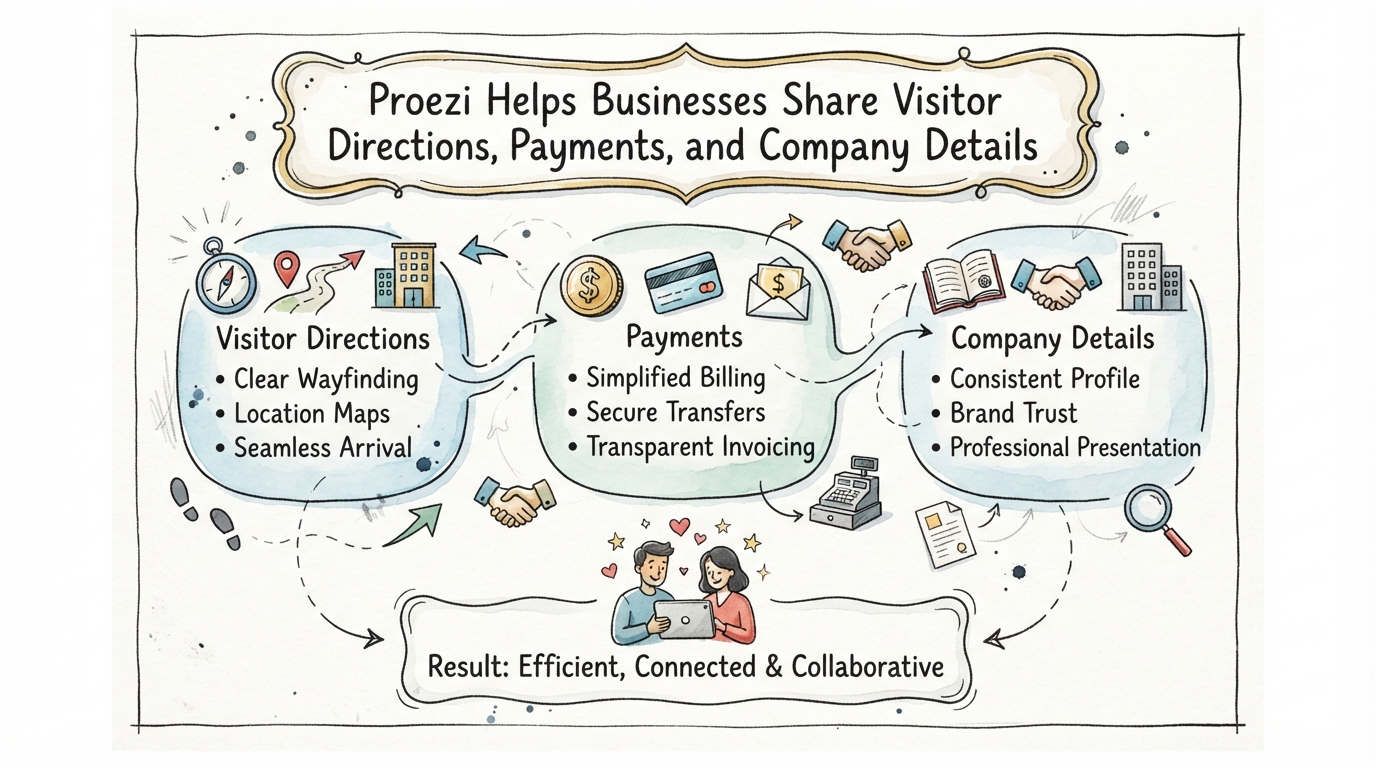
A business can have a clear address and still be difficult to find. Visitors may reach the correct street but miss the entrance. Customers may ask for payment details that the team has already shared. Suppliers may need company information before they can move forward. These small communication gaps take time and create avoidable confusion. Businesses can make these interactions easier by keeping important information in clear, shareable places. Proezi brings three common information needs together: visitor directions, payment instructions, and business identity details. It lets organizations prepare web pages and share them through links or QR codes. People can open these pages in a browser without installing an app or creating an account.
What Is Proezi?
Proezi is a web-based platform for sharing business information. It helps organizations publish separate pages for reaching a location, making payments, and viewing company identity details. A business can share these pages through a direct link or QR code. Visitors can use arrival pages to understand routes, parking, entrances, and reception steps. Customers can view payment instructions on a separate page. Business partners can access published registration and tax details. This approach gives teams a reusable way to answer common questions. Instead of sending the same information through many individual messages, they can share one relevant page. Learn more about the platform at Proezi.
Why Businesses Need Better Digital Information Sharing
Many teams spend time answering questions that come up every day. Visitors ask where to park or which entrance to use. Customers request bank details or payment references. Suppliers ask for company registration numbers. These details often sit in old emails, documents, chat messages, or printed notices. As a result, people may receive information that no longer matches the current situation. A shared digital page gives businesses a practical way to organize these answers. Staff can direct people to the relevant page instead of rewriting the same instructions. Clear information also helps people prepare before they visit or complete a business task.
QR Code Directions for Visitors: A Clearer Way to Reach Your Location
A street address does not always tell visitors how to reach the correct door. Large buildings, business parks, hospitals, and event spaces may have several entrances. Some locations also have separate routes for visitors, staff, and delivery vehicles. QR code directions for visitors can explain these final steps. A business creates an arrival page and connects it to a QR code. Visitors scan the code and read the instructions on their phones. The page can explain the correct parking area, gate, entrance, reception desk, or floor. Businesses can share the code in appointment messages, invitations, websites, and printed signs.
Understanding Visitor Wayfinding Software
Visitor wayfinding software helps people understand how to reach a place and find the correct point inside it. The right solution depends on the location and the problems visitors face. A small office may only need clear entrance and reception instructions. A hospital may need directions for different departments and accessible routes. A large event venue may need separate guidance for guests, exhibitors, and suppliers. Proezi focuses on shareable arrival information. Businesses can use its pages to explain routes, parking, gates, landmarks, and indoor steps. This gives visitors useful guidance without requiring them to install a dedicated application.
Digital Visitor Arrival Instructions: Cover the Whole Journey
Digital visitor arrival instructions should explain more than the journey to a street or building. They should help people understand what to do after reaching the area. For example, an office can explain which gate visitors should use and where reception is located. A clinic can show the parking area and the correct floor. A warehouse can guide drivers toward the delivery entrance. Useful instructions may include photos, map coordinates, landmarks, route steps, and contact options. Businesses should write these details in the order visitors will experience them. This makes the directions easier to follow, especially for people who have never visited the location.
How to Find Us Page for Business: Important Details to Include
A how to find us page for business should answer practical questions before someone starts travelling. A simple address is useful, but it may not explain the final approach. The page should identify the correct building, parking area, entrance, and reception point. It can also mention nearby landmarks and any access instructions visitors should know. Photos can help people recognize a gate or doorway when several entrances look similar. If the business operates across multiple buildings, the page should make the destination clear. A contact option also helps visitors who need assistance during their journey.
Event Venue Directions QR Code: Help Guests Arrive with Confidence
Event organizers often need to guide many people to one location within a short period. Guests may arrive by car, taxi, public transport, or on foot. They may also need to find different gates, registration desks, or halls. An event venue directions QR code can bring these instructions together. Organizers can share the code through event invitations, ticket messages, websites, or printed signs. The linked page can explain the venue address, parking arrangements, entrance, registration point, and useful landmarks. Guests can check the information before leaving. This gives them a better idea of where to go when they reach the venue.
Parking and Entrance Directions for Visitors
Parking instructions should explain where visitors can leave their vehicles and how they should reach the building. Some properties have separate parking areas for customers, staff, visitors, and deliveries. Others use different gates for cars and pedestrians. Without clear directions, people may enter through the wrong gate or park in an unsuitable area. Parking and entrance directions for visitors should identify the correct route and explain any important access rules. Businesses can include photos of signs, gates, parking bays, and doors. These details make the arrival process easier to understand and reduce repeated questions at reception.
Last Mile Navigation for Businesses: Guide People to the Right Door
Last mile navigation for businesses addresses the final part of a journey. A visitor may reach the correct street but still struggle to find the right entrance. This problem often occurs at large campuses, industrial sites, hospitals, hotels, and business parks. Standard navigation apps can guide people toward a general location. However, they may not explain private roads, internal gates, or reception points. Businesses can fill this gap with specific arrival instructions. Visitors can use Google Maps, Apple Maps, or Waze for the outdoor journey. They can then follow the business's shared directions for the final approach.
How QR Codes Improve Everyday Visitor Communication
QR codes make it easier to connect printed signs with useful digital information. Businesses can add them to reception notices, appointment cards, event invitations, parking signs, and delivery instructions. Visitors scan the code and open the linked page in a browser. They do not need to search through old messages or type a long web address. A reusable QR code can also make updates more practical when the business maintains the linked page. For example, a company can update its entrance instructions while keeping the same shared link. This helps teams avoid replacing every printed notice whenever a small detail changes.
How to Share Bank Details with Customers Securely
Customers need accurate payment information when they pay invoices, service fees, or deposits. Businesses should share these details through a clear and trusted process. When deciding how to share bank details with customers securely, teams should first confirm the information with the responsible accounts staff. A payment page can organize the account holder's name, bank details, and payment reference instructions. Businesses should also explain which reference customers need to include. Proezi provides a way to publish and share payment information. It does not collect, process, or transfer money. Customers complete payments through their own banking or payment applications.
UPI QR Code Payment Page: Make Payment Details Easier to Find
A UPI QR code payment page can help customers access payment instructions without searching through old conversations. A business can present its supported UPI information and related payment details on one page. It can then share the page through a link or printed QR code. Customers open the information and use their own UPI application to make the payment. Businesses should check the displayed details before sharing the page. They should also explain any required invoice number or payment reference. A payment information page helps people find the instructions, but it does not process a transaction or confirm that the money has reached the business.
Share Business Registration Details Online
Business partners may need company information before they begin working with an organization. Customers and suppliers may also ask for registration or tax identifiers. Businesses can share business registration details online through a dedicated identity page. This gives people a clear place to review the information the organization publishes. Supported identifiers may receive format and checksum validation. However, this does not independently prove that the details belong to the business or confirm its current government registration status. Anyone who needs official confirmation should check the relevant government or registry source. Clear identity information can still make routine business communication easier.
Why Visitor, Payment, and Identity Pages Should Stay Separate
Each type of business information serves a different purpose. Visitors need directions, customers need payment instructions, and business partners may need company identity details. Putting everything on one long page can make important information harder to find. Separate pages help businesses share only what each person needs. They also make the information easier to organize and review. For example, a business can update its entrance instructions without changing its payment details. It can also share company identity information without sending unrelated visitor guidance.
Page Type
Main Purpose
Typical Information
Intended Audience
Visitor directions page
Help people reach a location
Parking, entrances, gates, reception, floors
Visitors and delivery partners
Payment details page
Share payment instructions
Bank details, UPI information, payment references
Customers and suppliers
Business identity page
Share company information
Registered name, registration numbers, tax identifiers
Customers and business partners
How Proezi Supports Different Types of Businesses
Different organizations can use shared information pages in different ways. Offices can guide interview candidates and meeting guests to the correct reception area. Clinics can explain entrances, parking, and department locations. Hotels can help guests understand where to arrive. Event organizers can share venue directions and registration details. Warehouses can guide delivery partners to the correct loading point. Businesses can also prepare payment and identity pages for customers and suppliers. Proezi gives these organizations a way to publish the relevant information and share it through links or QR codes.
How to Prepare Useful Digital Arrival Instructions
Start by walking through the route that a first-time visitor would follow. Notice where someone might take a wrong turn or need extra help. Record the correct parking area, entrance, and final destination. Then write the instructions in the same order as the journey. Use short sentences and familiar names for gates, buildings, and rooms. Add photos or landmarks when they make a location easier to recognize. Include a contact option for visitors who cannot follow the directions. Finally, ask someone unfamiliar with the site to test the page. Their questions can reveal missing steps.
Multilingual and Accessible Visitor Directions
A business may welcome people who speak different languages or have different access needs. Directions should use simple words and clear steps. Organizations that serve international visitors can prepare instructions in suitable languages. They should explain step-free routes, accessible parking, lifts, and other available facilities. Photos and landmarks can also help visitors understand the route. Businesses should consider people who may lose their internet connection inside a basement or parking area. Proezi supports multilingual information and previously cached offline directions. This can help visitors access guidance in places where mobile connectivity is weak.
How to Keep Shared Information Up to Date
A shared page becomes less useful when its details no longer match the real location or business process. An entrance may move, parking rules may change, or a payment account may be updated. Businesses should assign someone to review each page when these changes happen. They should also check directions before major events and review company details when official information changes. Staff should test shared links and QR codes after updates. A regular review process helps people avoid outdated instructions. It also gives teams more confidence when they share information with visitors and customers.
A Practical Information-Sharing Checklist for Businesses
Before publishing a page, check whether it answers the reader's main question. Use this checklist to review the details:
- Give each page one clear purpose.
- Confirm addresses, names, and contact details.
- Explain parking and entrances in the correct order.
- Add helpful photos or landmarks where needed.
- Check payment information with the accounts team.
- Explain payment references clearly.
- Review company registration and tax details.
- Open the page on a mobile phone.
- Test every shared link and QR code.
- Review the information whenever details change.
AEO, GEO, LLMO, AISEO, and E-E-A-T for Business Information
People discover businesses through search engines, maps, AI tools, and direct recommendations. Clear information helps people understand a business and its services. AEO focuses on answering common questions directly. GEO helps content become useful in generative search experiences. LLMO considers how large language models interpret information. AISEO connects AI-related search practices with wider SEO work. E-E-A-T focuses on experience, expertise, authoritativeness, and trustworthiness. Businesses can support these goals with accurate details, useful headings, clear explanations, and consistent information. They should avoid unsupported claims and correct outdated content when changes occur.
Why Proezi Is Worth Exploring
Repeated questions can take up a surprising amount of staff time. A visitor needs directions. A customer needs payment details. A supplier wants company information. Proezi gives businesses a way to prepare these answers as separate pages and share them through links or QR codes. People can open the information in a browser without creating an account or installing an app. Organizations can start with the information request they receive most often. They can then prepare a clear page and share it wherever people need that answer. This is a practical way to make everyday business communication easier.
Frequently Asked Questions
1. What is Proezi, and how does it help businesses?
Proezi is a web-based platform for sharing visitor directions, payment information, and business identity details. Businesses can publish pages and share them through links or QR codes.
2. How do QR code directions for visitors work?
A business connects a QR code to a digital directions page. Visitors scan the code and open instructions about parking, entrances, gates, reception, or other arrival steps.
3. What does visitor wayfinding software help people do?
Visitor wayfinding software helps people reach a location and find the correct point inside it. Useful instructions may include routes, landmarks, parking areas, entrances, and floor details.
4. What should a how to find us page for business include?
It should include the address, correct entrance, parking guidance, nearby landmarks, and reception instructions. Photos and contact details can make the page more helpful.
5. Why should event organizers use an event venue directions QR code?
It gives guests quick access to arrival information. Organizers can share parking details, entry gates, registration points, and directions through invitations, tickets, or signs.
6. How can a business share bank details with customers securely?
The business should confirm its bank information before sharing it through a trusted channel. A dedicated payment page can organize account details and payment references. Customers should check the payment information before making a transfer.
7. What is a UPI QR code payment page?
It is a page that displays UPI payment information and related instructions. Customers open the page and use their own payment application to complete the transaction.
8. Can businesses share registration details online with Proezi?
Yes. Businesses can publish supported registration and tax identifiers on an identity page. Format checks do not independently confirm ownership or current government registration.
9. Do visitors need an app or account to open Proezi pages?
No. Visitors can open shared pages in a web browser. They do not need to install a separate app or create an account.
10. Does Proezi collect or process customer payments?
No. Proezi shares payment information and instructions. Customers use their own banking or payment applications to complete transactions.
Final Thoughts
Clear business information helps people take the next step without unnecessary confusion. Visitors need to know where to go. Customers need accurate payment instructions. Suppliers and partners may need company identity details. Businesses can make these answers easier to access by preparing separate pages and sharing them through links or QR codes. Proezi brings these information-sharing needs into one platform. Start with the questions your team answers most often. Turn those answers into clear pages, review them regularly, and share them wherever people need the information.